> ## Documentation Index
> Fetch the complete documentation index at: https://help.owlery.ai/llms.txt
> Use this file to discover all available pages before exploring further.
# Signing In to Owlery
> How to log in with your work email using Google, Microsoft, or a magic link.
Owlery uses Single Sign-On (SSO), so there's no separate password to create or remember. Sign in with your work email through Google or Microsoft, and Owlery matches you to your company based on your email domain.
You must use your **work email**. Personal email accounts (Gmail, Outlook.com, etc.) won't work.
 ## Sign in with Google or Microsoft
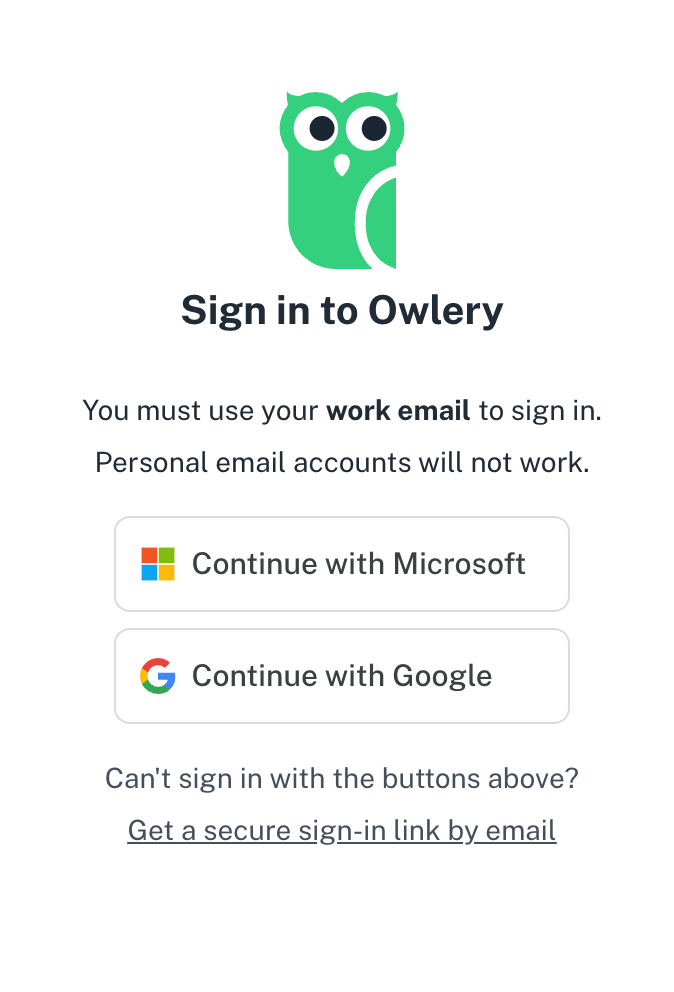
Open Owlery in your browser. You'll land on the sign-in screen.
Click **Continue with Microsoft** or **Continue with Google** — whichever one your company uses for work email.
Sign in with your work email credentials through your provider's standard login screen. If you're already signed in to Google or Microsoft in your browser, this may happen automatically.
That's it — you're in. Owlery never sees or stores your password; your identity provider handles all of that.
## If your IT team manages access
If your organization controls which third-party apps employees can use, your IT team may need to approve Owlery before you can sign in. Reach out to your IT team to request access.
*What your IT team will need to do:*
* Mark Owlery as an approved application in your identity provider (Google Workspace, Microsoft Entra ID, etc.)
* Allow the appropriate users or groups to access Owlery
* Optionally, manage ongoing access through groups
Your IT team maintains authentication entirely on their side — Owlery does not store or manage customer user passwords.
## Use a magic link instead
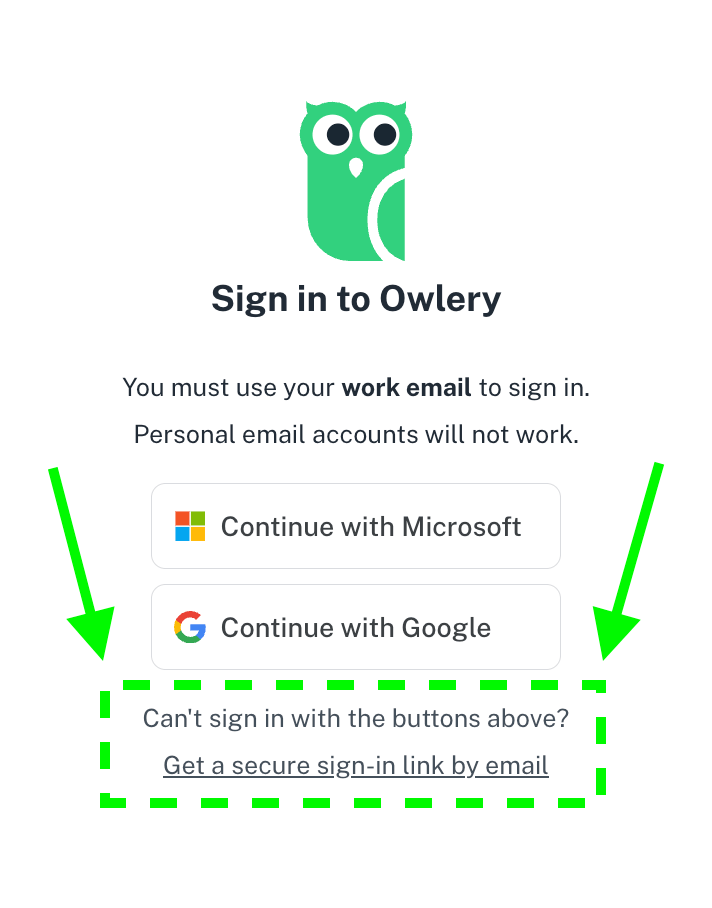
If your company doesn't use Google or Microsoft, you can sign in with a secure email link (referred to as a "magic link").
On the sign-in screen, click **Get a secure sign-in link by email**.
Type your work email address and submit.
Open the sign-in email from Owlery and click the link. It'll sign you straight in.
## Sign in with Google or Microsoft
Open Owlery in your browser. You'll land on the sign-in screen.
Click **Continue with Microsoft** or **Continue with Google** — whichever one your company uses for work email.
Sign in with your work email credentials through your provider's standard login screen. If you're already signed in to Google or Microsoft in your browser, this may happen automatically.
That's it — you're in. Owlery never sees or stores your password; your identity provider handles all of that.
## If your IT team manages access
If your organization controls which third-party apps employees can use, your IT team may need to approve Owlery before you can sign in. Reach out to your IT team to request access.
*What your IT team will need to do:*
* Mark Owlery as an approved application in your identity provider (Google Workspace, Microsoft Entra ID, etc.)
* Allow the appropriate users or groups to access Owlery
* Optionally, manage ongoing access through groups
Your IT team maintains authentication entirely on their side — Owlery does not store or manage customer user passwords.
## Use a magic link instead
If your company doesn't use Google or Microsoft, you can sign in with a secure email link (referred to as a "magic link").
On the sign-in screen, click **Get a secure sign-in link by email**.
Type your work email address and submit.
Open the sign-in email from Owlery and click the link. It'll sign you straight in.
 If your company uses an email security tool like Proofpoint, Mimecast, or Barracuda, links from Owlery — including your sign-in link and file downloads (invoices, reports, PODs) — may be rewritten to route through the security tool. That can break the sign-in link and cause downloads to show **Download Blocked** or **Unable to process file at this time**.
You have two options if this happens – either one works:
* **Copy the sign-in link and paste it into your browser** instead of clicking it. This is the fastest fix and works right away.
* **Ask your IT team to allowlist** `owlery.ai `**(and** `*.owlery.ai`**)** in your email security tool. This is the permanent fix, but IT teams are often slow to act — most people should use the copy-paste sign in link option in the meantime.
## What Owlery stores about you
When you sign in, Owlery only stores three things: your **name**, your **email address**, and an internal system ID. That's it — no passwords, no extra profile data.
## Troubleshooting
Owlery runs on enterprise-grade infrastructure with encryption at rest and in transit. We do not store user information beyond basic account creation *(see [What Owlery Stores about you](#what-owlery-stores-about-you) above)*.
For a live list of our security & compliance controls, subprocessors, and common FAQs, your IT team can visit our [Trust & Security Center](https://trust.owlery.ai/).
Your IT team may need to whitelist Owlery in your organization's Google or Microsoft admin settings. See [*If your IT team manages access*](#if-your-it-team-manages-access) above. Check with them first — if that doesn't fix it, email [support@owlery.ai](mailto:support@owlery.ai) with your company name and the error you're seeing.
Owlery matches you to your organization by your email domain. If you're signed in with your correct work email and still don't see what you expect, check with a teammate - they probably just need to add you to the right team.
This almost always means your company's email security tool (Proofpoint, Mimecast, Barracuda, etc.) is intercepting the download and blocking it.
**The quickest fix:** copy the sign-in link from your email and paste it into your browser instead of clicking it, then try the download again.
**The permanent fix:** ask your IT team to allowlist `owlery.ai` in your email security tool. This can take a while, so use the copy-paste option in the meantime.
**Why this happens:** Owlery generates your files directly in your browser and hands them to you through a private, one-time link that only exists inside your current browser tab. Nothing is ever posted to a public URL, which keeps your data and reports from being shared, cached, or scraped. When a security tool tries to re-open that link from its own scanner, the file isn't there — so the download fails.
If your company uses an email security tool like Proofpoint, Mimecast, or Barracuda, links from Owlery — including your sign-in link and file downloads (invoices, reports, PODs) — may be rewritten to route through the security tool. That can break the sign-in link and cause downloads to show **Download Blocked** or **Unable to process file at this time**.
You have two options if this happens – either one works:
* **Copy the sign-in link and paste it into your browser** instead of clicking it. This is the fastest fix and works right away.
* **Ask your IT team to allowlist** `owlery.ai `**(and** `*.owlery.ai`**)** in your email security tool. This is the permanent fix, but IT teams are often slow to act — most people should use the copy-paste sign in link option in the meantime.
## What Owlery stores about you
When you sign in, Owlery only stores three things: your **name**, your **email address**, and an internal system ID. That's it — no passwords, no extra profile data.
## Troubleshooting
Owlery runs on enterprise-grade infrastructure with encryption at rest and in transit. We do not store user information beyond basic account creation *(see [What Owlery Stores about you](#what-owlery-stores-about-you) above)*.
For a live list of our security & compliance controls, subprocessors, and common FAQs, your IT team can visit our [Trust & Security Center](https://trust.owlery.ai/).
Your IT team may need to whitelist Owlery in your organization's Google or Microsoft admin settings. See [*If your IT team manages access*](#if-your-it-team-manages-access) above. Check with them first — if that doesn't fix it, email [support@owlery.ai](mailto:support@owlery.ai) with your company name and the error you're seeing.
Owlery matches you to your organization by your email domain. If you're signed in with your correct work email and still don't see what you expect, check with a teammate - they probably just need to add you to the right team.
This almost always means your company's email security tool (Proofpoint, Mimecast, Barracuda, etc.) is intercepting the download and blocking it.
**The quickest fix:** copy the sign-in link from your email and paste it into your browser instead of clicking it, then try the download again.
**The permanent fix:** ask your IT team to allowlist `owlery.ai` in your email security tool. This can take a while, so use the copy-paste option in the meantime.
**Why this happens:** Owlery generates your files directly in your browser and hands them to you through a private, one-time link that only exists inside your current browser tab. Nothing is ever posted to a public URL, which keeps your data and reports from being shared, cached, or scraped. When a security tool tries to re-open that link from its own scanner, the file isn't there — so the download fails.