Freight Pay only applies if your shipper is paying through Owlery. If you’re set up for it, you’ll already have provided your banking details to Owlery in order to be paid — if you haven’t, your shipper is paying you directly and remittance details won’t appear here.
Dashboard → Finances → Invoices
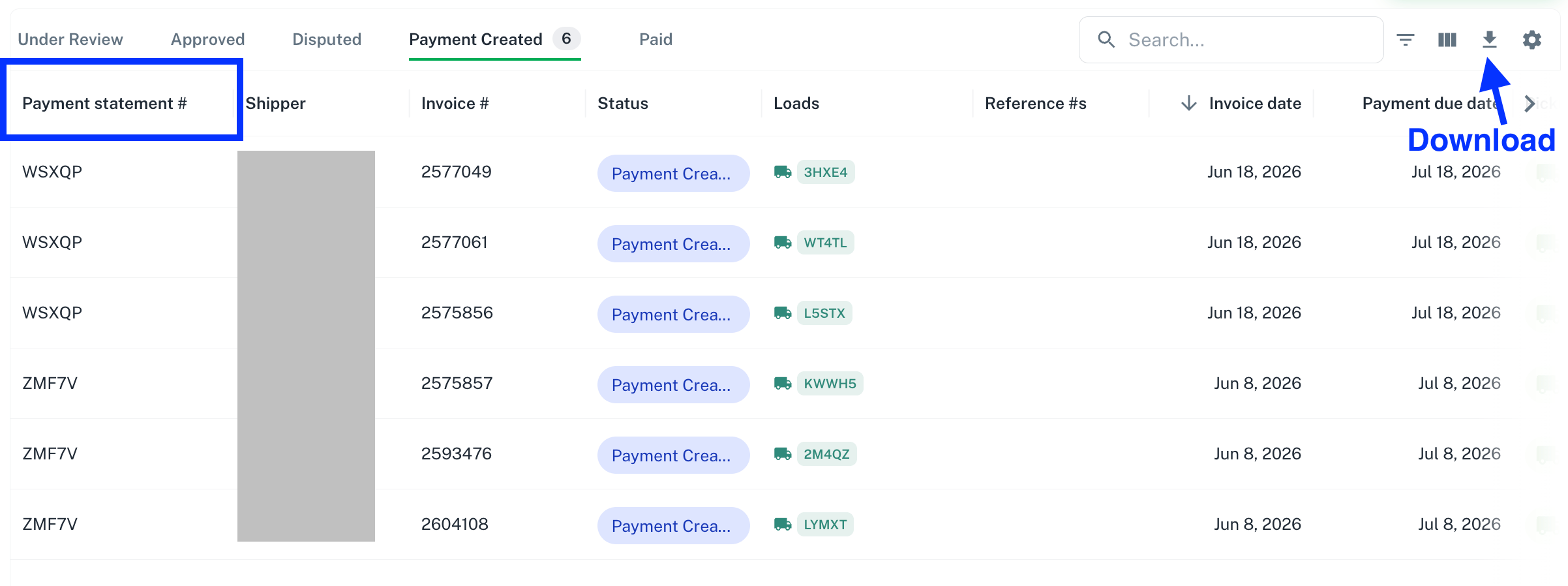
To find remittance details, go to the Invoices page.
Where Paid Invoices Appear
Invoices that have been paid show up on one of two tabs. Due to banking & payment limitations, invoices may be in either status even once you have received payment.- Payment Created: payment has been initiated.
- Paid: payment has cleared.
Matching Invoices to Payments
Use the Payment Statement ID column to see which invoices were included in which payment. Invoices sharing the same Payment Statement ID were paid together.Downloading Detailed Remittance Data
For more detailed information, download the table as a CSV from the Invoices page.